Turn your inbox into 1 clear priority per day.
10 min/day. Reduce your backlog. Never miss a follow-up. Focus on what matters.
Gmail · Outlook · Multi-inbox · 7-day free trial
Home.worksWith
−30%
email backlog in 2 weeks
10 min
per day is all it takes
0
missed follow-ups
How it works
3 steps. 10 minutes. Every day.
Connect your inbox
Outlook, Gmail, Yahoo, iCloud or IMAP — connect in 2 clicks.
Triage & prioritize
The Domino algorithm identifies the highest-impact action.
Execute your One Thing
1 clear priority per day. Everything else follows.
A preview of the interface
Prioritization, One Thing, Analytics — everything you need to take back control.
DOMINO OF THE DAY
Acme Corp Proposal — Q1 2026 ($45k)
Acme Corp Proposal — Q1 2026 ($45k)
Revised commercial proposal received. Amount $45,000. Reply required before Feb 28, 2026. Decision needed.
Budget arbitration — 15 min this week?
Cloud invoice — due in 48h
Features
Everything you need to go from overload to clarity.
Smart prioritization
Automatic scoring: impact, urgency, effort. No more false emergencies.
Daily One Thing
Every morning, 1 clear action that moves the needle.
Automatic follow-ups
Never miss an email again. Reminders at the right time.
Multi-inbox
Outlook, Gmail, IMAP, COM Bridge... One unified view.
Analytics
Backlog, time saved, trends. Track your progress every week.
10 min/day routine
A structured workflow that fits in 10 minutes. Not an hour.
Learn the frameworks
3-minute takeaways from the best GTD, Eisenhower, ONE Thing, and 80/20 videos.
Getting Things Done (GTD) — Full method overview
Capture everything, clarify next actions, review weekly. Stop holding tasks in your head.
Watch
GTD in 2 minutes — The core loop explained
Inbox to action in 5 steps. The same loop Virtus Lever automates for your email.
Watch
Why GTD works — Stress-free productivity
A trusted system frees mental RAM. Let the tool decide what matters next.
Watch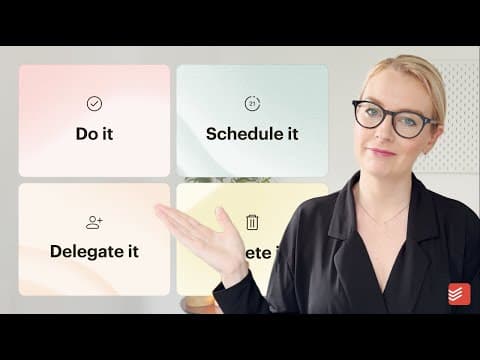
The Eisenhower Matrix — Urgent vs. important
Not every urgent email is important. Sort by impact, not by noise.
Watch
Covey's 4 quadrants — Put first things first
Spend more time on Quadrant 2: important, not urgent. That's where leverage lives.
Watch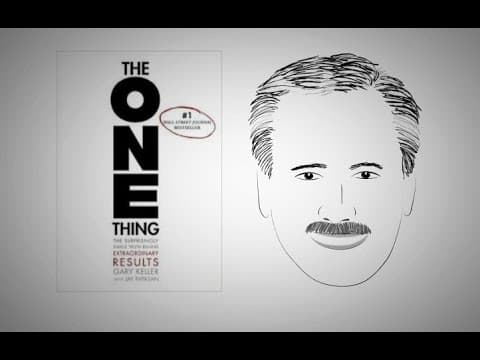
The ONE Thing — Focus on what matters most
One priority per day beats 10 half-done tasks. Domino your way through your inbox.
Watch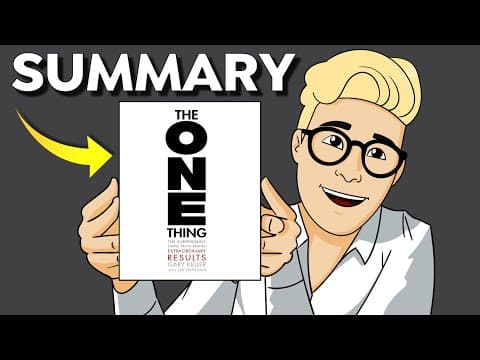
The ONE Thing animated — Clarity in 5 minutes
Ask: what's the one thing I can do today that makes everything else easier?
Watch
The Pareto Principle — 80/20 in practice
20% of your emails drive 80% of results. Focus there, ignore the rest.
WatchDomino Algorithm
The one action that topples the rest. Inspired by the Pareto principle, the algorithm identifies the highest-leverage action in your inbox every day.
Pareto 80/20
Focus on the 20% of emails with the highest impact
Goal alignment
Prioritization based on your real objectives
Energy & timing
Adapts to your energy levels throughout the day
Minimal effort
Favors low-effort, high-result actions
Security & privacy
Your data stays yours.
Secure connection
OAuth / IMAP / COM Bridge. Your credentials never pass through us.
Encryption in transit
HTTPS everywhere. Data encrypted during transport.
Full control
Disconnect or delete your data at any time.
Featured articles
Our best guides to take back control of your inbox.
Email Triage in 10 Minutes: The Complete Checklist to Take Back Control
Actionable checklist to sort your emails in 10 minutes a day. Step-by-step method, common mistakes, and tools to automate the process.
ReadFrom Inbox to One Thing: How to Identify Your Daily Priority
How the Domino algorithm turns your inbox into one clear priority action per day, inspired by the Pareto principle and the One Thing method.
ReadSuperhuman Alternative: What If the Problem Isn't Speed, But Clarity?
Honest comparison between Superhuman and Virtus Lever. Why processing emails faster isn't enough — and how the One Thing approach changes the game.
ReadFrequently asked questions
Everything you need to know before getting started.
Yes. Virtus Lever supports Outlook (web & desktop) via OAuth and COM Bridge for local scenarios.
Yes, all these providers are supported. Connection is done in a few clicks via OAuth or IMAP depending on the account.
COM Bridge is a lightweight local connector for Outlook desktop scenarios. It enables synchronization without going through the cloud for specific use cases.
10 minutes. That's the core of the method: a quick triage in the morning, executing your One Thing, and a brief check at the end of the day.
We aim for Inbox Control, not Inbox Zero. The goal isn't to empty everything, but to always know what your next priority action is.
Yes. You can connect as many inboxes as needed (work + personal) and manage them from a unified view.
The service is hosted on a secure cloud with encryption in transit (HTTPS). We will publish more technical details at launch.
Starting with a free plan to get going, with a Pro plan for advanced features. Check out our Pricing page for details.
No. Your email content is sent to an LLM provider (Groq or Anthropic) only for real-time analysis (summary, triage, replies). No data is used to train or fine-tune any AI model — not by us, not by the providers (Groq and Anthropic commercial APIs exclude API data from training by default). If you correct an AI draft, your correction is stored locally in your PostgreSQL database only, to improve your future suggestions — it is never exported.
Google: Gmail read/write (gmail.modify), Google Calendar (calendar), Google Tasks (tasks), Google Drive read-only (drive.readonly), plus identity (openid, email, profile). Microsoft: email read (Mail.Read), send (Mail.Send), calendar (Calendars.ReadWrite), OneDrive read (Files.Read.All), profile (User.Read), plus identity and offline token (openid, profile, email, offline_access). IMAP: inbox access only, credentials encrypted (AES via Fernet), no delete or modify commands on your emails.
All your data (indexed emails, tasks, AI embeddings, settings) lives in a PostgreSQL database on a Hetzner server in Europe. Cache and job queue use Redis on the same server. No external object storage (S3, etc.) is used. AI search embeddings use pgvector (native PostgreSQL extension) — your data never leaves the server.
Take back control of your inbox.
−30% backlog in 2 weeks. Measurable.
Get started